
makethisbigger: “Make this bigger.”
Talk and point at your screen. makethisbigger hands Claude Code your words and the exact spot you meant, and Claude changes the code.
open source (MIT) · macOS · for Claude Code and other coding agents
Typed, this means nothing.
Describing a screen in words is slow: the third button in the second card, next to the dropdown. Pointing takes a second. makethisbigger records your voice and your cursor together, so every “this”, “here” and “these” arrives with the place you meant.
How it works
-
1
Talk and point
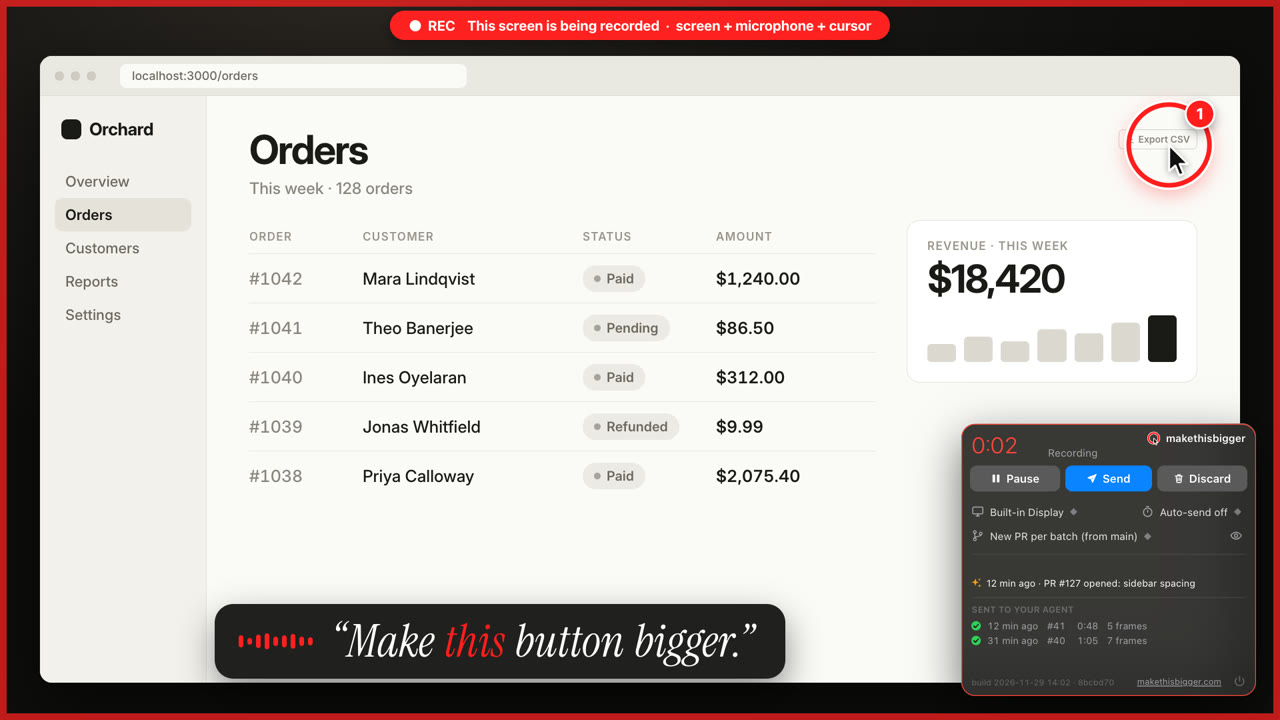
Press Record, talk, and point with the mouse. A small floating widget records the screen you pick, your microphone and the cursor. A red frame shows which screen is being recorded.
-
2
Send
Each batch becomes a folder with a
timeline.md: what you said, transcribed on your Mac with whisper.cpp, and for every sentence the moment the cursor rested or clicked, as a zoomed crop and a full frame with a red ring around the cursor.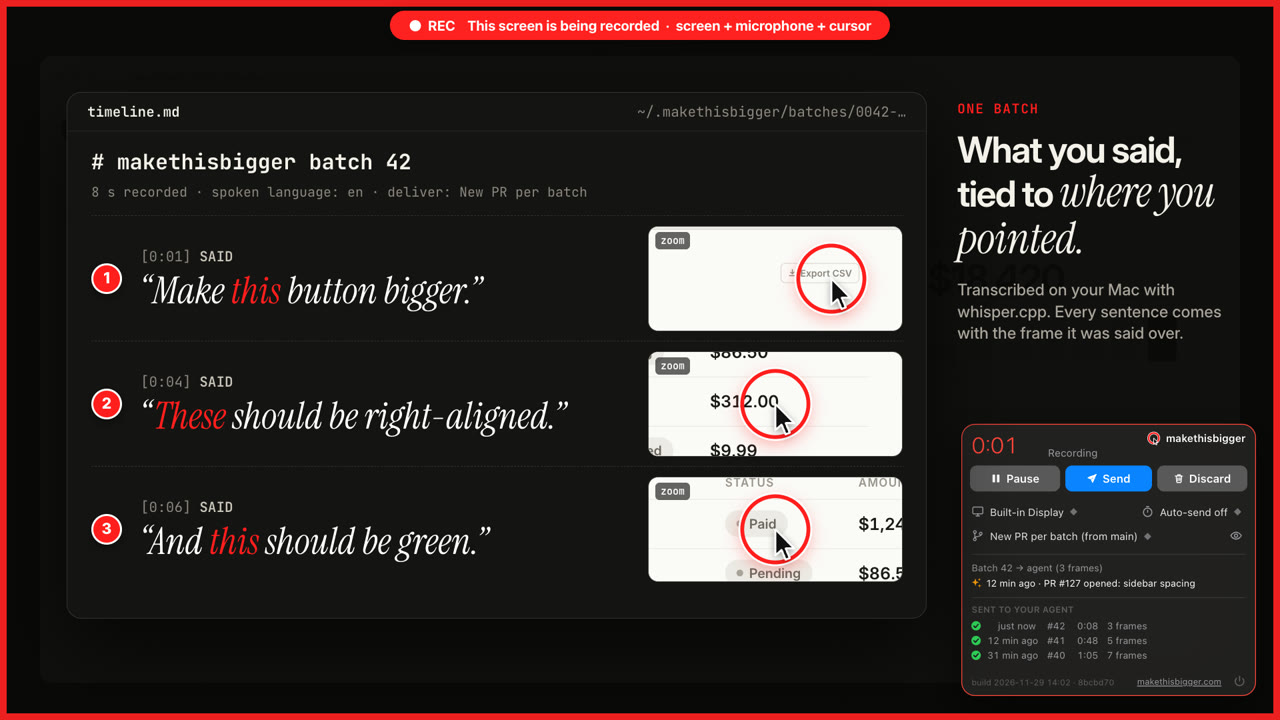
-
3
Claude changes the code
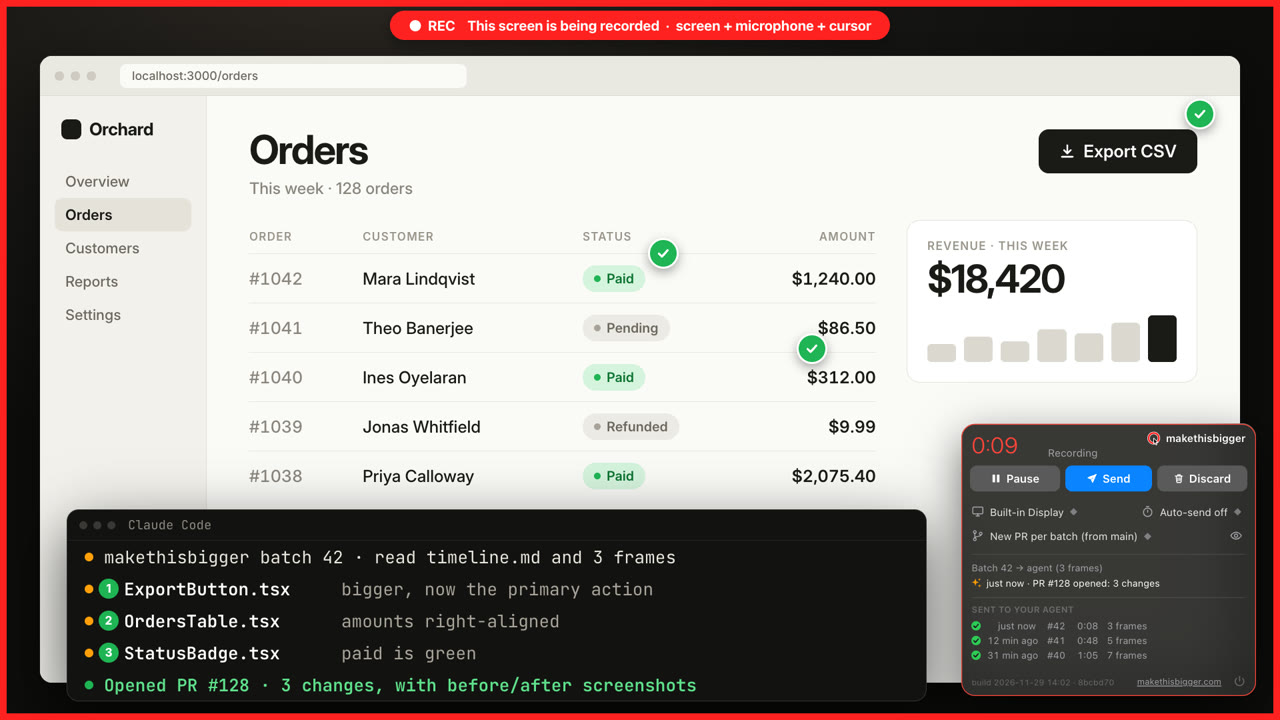
Claude Code watches for new batches, reads them, and changes the code of whatever you were showing. You pick where the changes go: a pull request per batch, commits on main, one branch, or no branch instructions at all.
What it is for
Three ways to work with it
-
Review it together
Go through your product in a call and improve it as you talk. Every improvement becomes its own pull request.
New PR per batch -
Build a feature together
Discuss a new feature, decide on the go, and watch it take shape in a single feature branch.
Branch / PR: feature/checkout -
Polish it on your own
Browse through your product and fix the small details you never reported, because describing them was too cumbersome.
fixed while you browse
What Claude gets
A plain Markdown file and a few images. Nothing to integrate: Claude Code reads the batch like any other file in your project.
- SAID lines: every sentence you spoke. English and German by default; other languages can be set.
- zoom and full frames: where the cursor was while you said it.
- CLICK entries in between, so the way you navigated is clear.
- An END STATE frame: what the screen looks like now.
# makethisbigger batch 42

- Recorded 14:02:11 to 14:02:19 (8 s recorded)
- Screen: Studio Display, spoken language: en
- Deliver: New PR per batch

## Timeline

- [0:01] SAID: "Make this button bigger."
  - point @ 0:01 · cursor at (1171, 155) pt · rested 1.6s
    zoom: frames/m01_zoom.jpg
    full: frames/m01_full.jpg
- [0:04] SAID: "These should be right-aligned."
  - point @ 0:04 · cursor at (843, 377) pt · rested 1.3s
    zoom: frames/m02_zoom.jpg
    full: frames/m02_full.jpg
- [0:06] SAID: "And this should be green."
  - point @ 0:06 · cursor at (636, 280) pt · rested 1.5s
    zoom: frames/m03_zoom.jpg
    full: frames/m03_full.jpg
- [0:08] END STATE (what the screen looks like now)
    full: frames/m04_full.jpg
Built for talking while you work
Transcribed on your Mac
Speech goes through whisper.cpp on your own machine. No transcription service is involved.
You always see what is recorded
The chosen display gets a green frame when ready and a pulsing red one while recording, when other displays say “Not recorded”.
makethisbigger stays out of the picture
Its own widget, frame and badges are left out of the video, so Claude sees your app and not the recorder.
Keep talking while Claude works
Send by hand, or automatically every 30 seconds to 5 minutes; automatic batches without speech are skipped. A later batch can correct an earlier one.
You choose where changes land
A new pull request per batch, commits on main, one branch or pull request for everything, or no branch instructions.
No batch is lost
What a quit or a crash leaves behind comes back as a recovered batch on the next start. A failed batch keeps its raw video, so it can be processed again.
Install
For macOS; tested on Apple Silicon. The terminal you start makethisbigger from needs Screen Recording and Microphone permission (System Settings, Privacy & Security).
Built for and tested with Claude Code; other agents that read the Agent Skills format load the same skill. Then ask your agent to “start makethisbigger” in the project you want to improve.
brew install ffmpeg whisper-cpp uv
mkdir -p ~/.local/share/whisper-models
curl -L -o ~/.local/share/whisper-models/ggml-large-v3-turbo.bin \
https://huggingface.co/ggerganov/whisper.cpp/resolve/main/ggml-large-v3-turbo.bingit clone https://github.com/simonharrer/makethisbigger.git
ln -s "$PWD/makethisbigger/makethisbigger.py" ~/.local/bin/makethisbigger # any directory on your PATH
makethisbigger skill install # Claude Code, and Codex, Gemini CLI, opencode, … via ~/.agents/skills
makethisbigger skill # check: installed and up to date?